Gate Fold Card Using A Framelit Tutorial

In August 2013, I posted two tutorials on how to make a Gate Fold Card using a framelit to form the shape of a card.  One Tutorial was for using the Stampin’ Up!  Window Frames Framelits, and the Second Tutorial was for using the Stampin’ Up! Deco Frames Framelits.   

Recently, I was asked by a viewer, Eileen, to provide another tutorial for making a Gate-Fold Card Using a Framelit from the Stampin’ Up! Floral Frames Framelits.  This post provides the requested tutorial. (Sorry, Eileen that it has taken some time!)

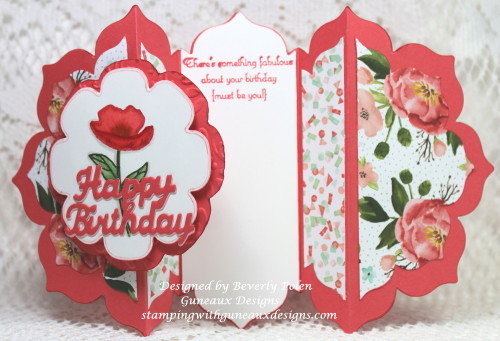
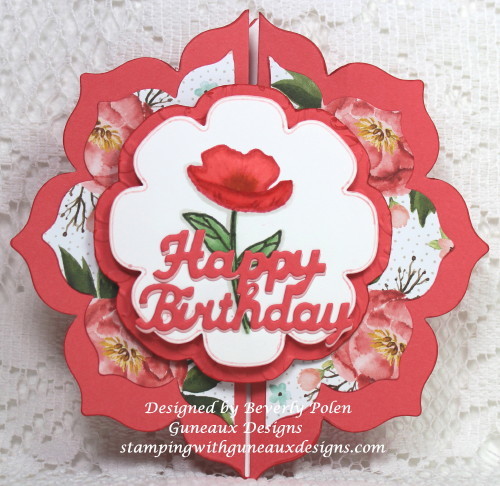
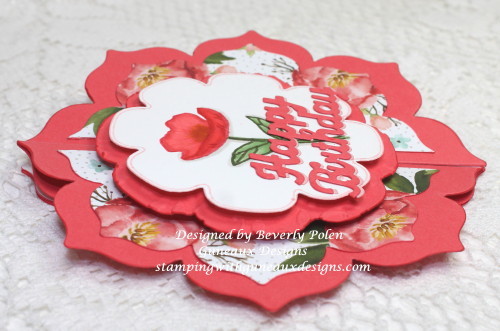
But first, let me show you photos of the Happy Birthday card I created using the featured framelits:
Gate Fold Card Using A Framelit

Gate Fold Card Using A Framelit

Gate Fold Card Using A Framelit

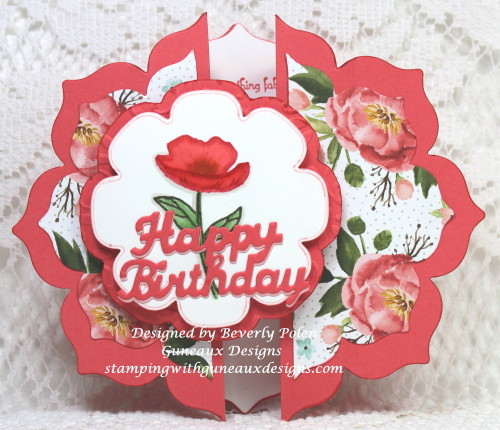
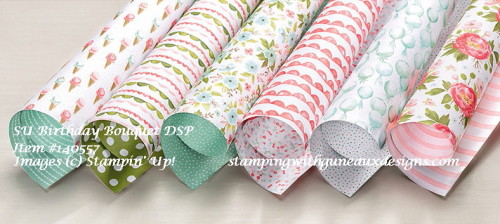
You can see in the above picture that I used another design from the Stampin’ Up! Birthday Bouquet DSP to cover both side panels on the inside of the card.  Now, on to the tutorial.

BlogDivider_zpsed339ea1

UPDATE:  This card was selected as a favorite on Splitcoaststampers for the week ending January 24, 2016.

BlogDivider_zpsed339ea1

TUTORIAL FOR MAKING A GATE FOLD CARD USING A FRAMELIT

Step 1.  Select a framelit that you want to use to form the shape of your card.

(NOTE:  I recommend selecting one that is no wider than 5″ and longer than 7″, otherwise, you’ll need 12″ card stock).

Step 2.  Score an 8-1/2″ x 11″ piece of card stock on the 11″ side at the 3-1/2″, 4-1/2″, 6-1/2″, and 7-1/2″ measurements.

Step 3.  Fold the 3-1/2″ score line into a mountain fold, 4-1/2″ into a valley fold, 6-1/2″ into a valley fold, and 7-1/2″ into a mountain fold.

Step 4.  Crease the score lines well using a bone folder.  

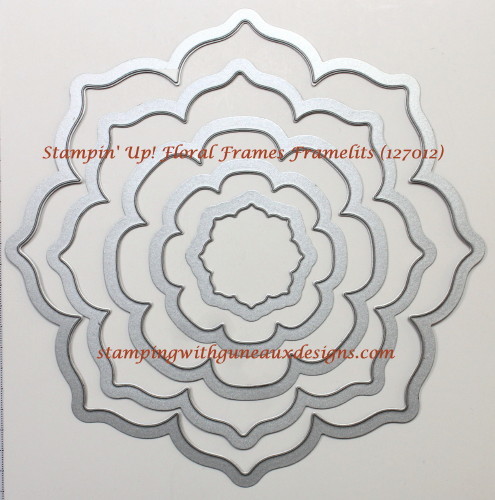
Step 5.  Lay your selected framelit onto the front of the folded card stock, centering the framelit.  Use temporary tape to hold the folds and framelit in place. (I used the largest framelit from the Floral Frames Framelits.)
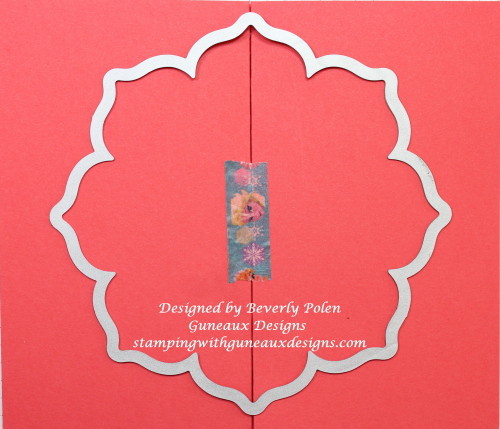
Gate-Fold Card Using Framelits

Step 6.  Using your die-cutting machine’s recommendation for the correct die-cutting sandwich, run the card stock and framelit through the machine.

(NOTE:  If using a Stampin’ Up! framelit, run the sandwich through your machine at least two times to get all layers cut.)

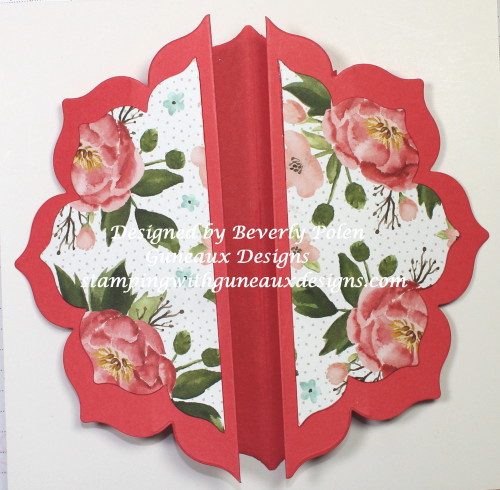
Your cutout will look like the one in this photo if you use the featured framelits.
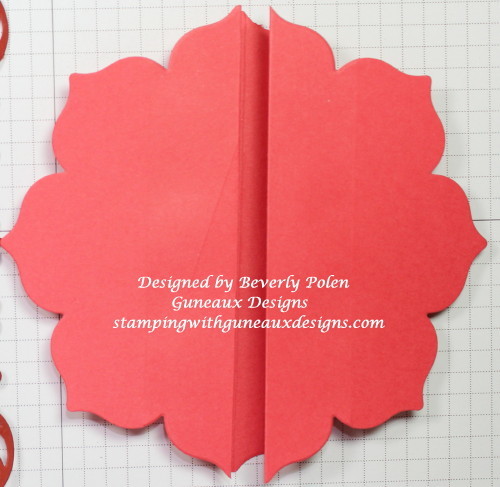
Gate Fold Card Using A Framelit Tutorial

Step 7.  Using the remaining framelits of your selected set to cut designer series paper to decorate your card.

STOP AT THIS STEP OF THE TUTORIAL UNLESS:

Step 8.  IF you are using the Stampin’ Up! Floral Frames Framelits, follow the remaining steps.

  • a.  If you decide to use designer series paper as I did, use the next to the largest framelit from the Stampin’ Up! Floral Frames Framelits to cut out a framelit design.
  • b.  Cut the design piece in half from the top to the bottom.
  • c.  Attach the pieces onto the left and right sides of the card.Gate Fold Card Using a Framelit Tutorial
  • d.  Cut a piece of card stock that matches the base card color.  Lay the third largest framelit onto the card stock and trace around the outer edge of the framelit.  Fussy cut the design (i.e., use scissors).
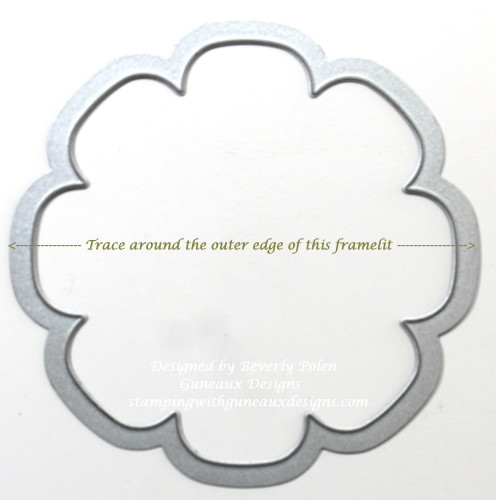
Gate Fold Card Using A Framelit Tutorial

  • e.  Using an embossing folder, emboss this piece of card stock to achieve texture.
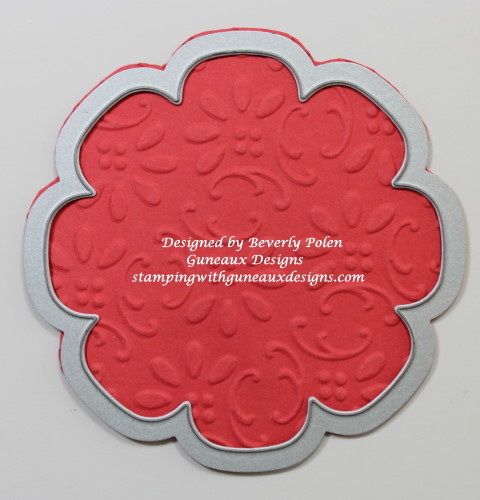
Gate Fold Card Using A Framelit Tutorial

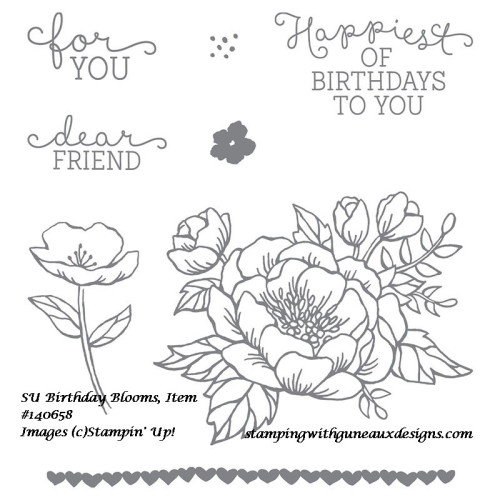
  • f.  Select a design for the top layer of your card with the same framelit, but cutting it with your die-cutting machine (no need to fussy cut).  I used Whisper White Card Stock on which I cut the framelit and stamped a floral image from the Stampin’ Up! Birthday Blooms Stamp Set.  I used copic markers to color the image.  I used foam dots to attach it to the embossed piece of card stock.  Lastly, I added a Happy Birthday sentiment.
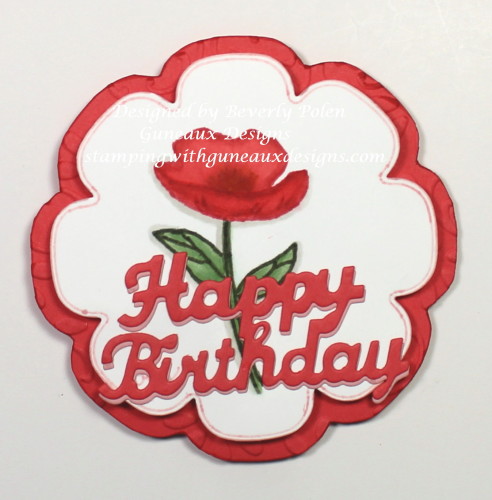
Gate Fold Card Using A Framelit-5

  • g.  Place foam dots onto the left side of the embossed card stock (right side when turned over),
  • h.  Adhere this piece to the left side of the card, allowing it to overlap, but not adhere, to the right side of the card.
  • i.  For the inside of the card, cut a 1-15/16″ x 5-1/2″ piece of Whisper White Card Stock.
  • j.  Center the largest framelit onto the card stock and run it through your die-cutting machine.
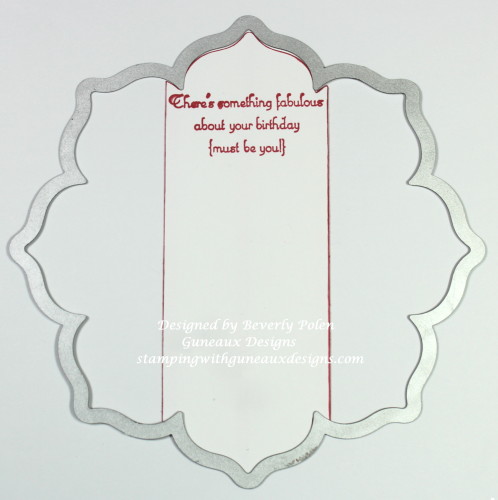
Gate Fold Card Using A Framelit-6

  • k.  If desired, stamp a sentiment onto the card stock.  Adhere it to the inside center of the card.
  • l.  Use the same framelit (i.e., largest one) to cut another piece of DSP.
  • J. Measure the left and right inside panels of the card base (i.e. those on each side of the center piece).  Use the measurements to cut the sides of the DSP from top to bottom and adhere them to the panels.
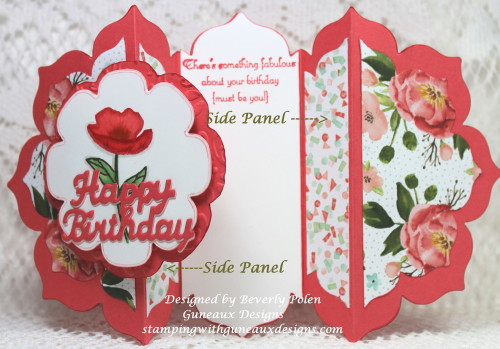
Gate Fold Card Using A Framelit

Enjoy your beautiful gate fold card in the shape of your selected framelit!

BlogDivider_zpsed339ea1

SUPPLIES USED

Stamps:  Stampin’ Up! Birthday Blooms Stamp Set and Retired Stampin’ Up! Create a Cupcake Stamp Set (inside sentiment)

Paper:  Stampin’ Up! Birthday Bouquet Designer Series Paper, Watermelon Wonder, and Whisper White Card Stock

Ink:  Stampin’ Up! Watermelon Wonder and Mossy Meadow Classic Ink, Copic Markers

Accessories: Stampin’ Up! Floral Frames Framelits, North Coast Creations Happy Birthday Die, Retired Stampin’ Up! Finial Press Embossing Folder
Gate Fold Card Using a Framelit Tutorial

Gate Fold Card Using A Framelit Tutorial

Gate-Fold Card Using A Framelit Tutorial

If you have questions or comments, please feel free to leave them in the comment section of this post.

Swallowtail Butterfly

God’s Blessings!

Stamping With Guneaux Designs By Beverly Polen
Gate Fold Card Using A Framelit

GATE FOLD CARD USING A FRAMELIT

Build a Bird Punch White on White Card

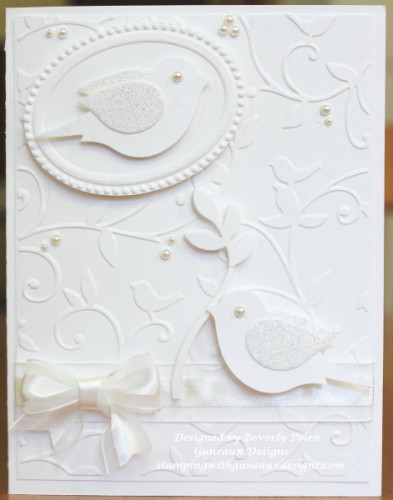
I love textured white on white cards!  The Splitcoastampers website has a white on white card challenge, CS359, this week for its members.  The gallery for the cards created for this challenge contains many beautiful white on white cards.  I have never seen so many beautiful white on white cards on one website. I participated in this challenge, and the card that a made is my card share today.  It features the Stampin’ Up! Build a Bird Punch and Cuttlebug Birds and Vines Embossing Folder.

UPDATE:  My card is included in the Splitcoastampers Favorites of the Week ending today, January 17, 2016!  

White on White Cards; Build a Bird Punch

Because it is easy to refer to the photo of the card to create a similar card, I am not including instructions on this post.


CARD SIZE:  A2

SUPPLIES USED

Stampin’ Up! Whisper White Card Stock
Cuttlebug Bird and Vines Embossing Folder
Build a Bird Punch
Stampin’ Up! SU Designer Frames Textured Impressions (Retired)
SU Basic Pearls
SU Iridescent Ice Embossing Powder
SU Whisper White Organza Ribbon


Swallowtail Butterfly

God’s Blessings!
Stamping With Guneaux Designs By Beverly Polen
Happy Scenes Snowy Scenes

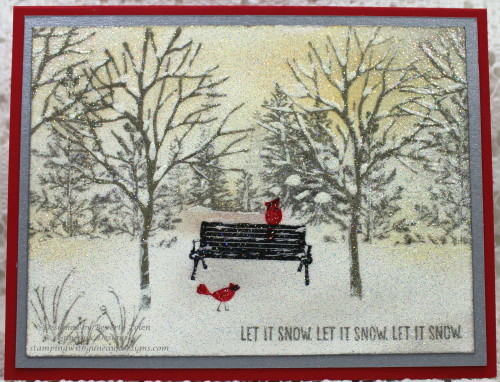
I think that one of the most beautiful scenes in the Northern United States is a beautiful snowy scene that is untouched by tire tracks, foot prints, animal hoof/paw prints, road slush, and more.  The quietness of a landscape with trees that are covered with freshly fallen white snow is a gift from heaven and it certainly is a happy scene.  You can see things in the landscape that you have not noticed before.  If there is a red cardinal in the landscape, that pop of red upon the glistening white snow is breathtaking.

Last week I created a similar scene for my card that I am sharing today.  I created the card in response to a Splitcoastampers.com  Inspirational Challenge, IC527.  The challenge involved picking a picture from a particular Pinterest board that inspired you, and then creating a card based on that inspiration.  This is the beautiful picture I chose as my inspiration:

 And this is my inspirational card that I created

Happy Scene Snowy Scene

I was excited to hear that my card was selected for one of the Splitcoaststampers FAVORITES for the week ending January 10.  

To create the scene, I used Stampin’ Up! stamp sets that included trees and one that included the bench in the scene.  The stamp sets are:

  1. Lovely as a Tree (Item #128655)
  2. Happy Scenes (retired)
  3. Branch Out (retired)
  4. Plant Hope (retired)
  5. Pendant Park (retired)

I began by stamping the large tree from the Branch Out Stamp Set into VersaMark Ink and stamping it in four places on the Whisper White Card Stock.  I then embossed these trees (including the branches at the top left and right) with Stampin’ Up! Pewter Embossing Powder (retired).

Using light gray inks, I stamped the remaining trees in the background.  Because the inspirational picture has yellow and orange in the sky portion of the background, I sponged Stampin’ Up! So Saffron and Peach Parfait Ink onto the snowy scene background.  I added a bench into the foreground with red birds (from other stamp sets) on and around the bench.  I added the sentiment from the Happy Scenes Stamp Set.

Once I was satisfied with the scene, I added white acrylic paint to place “snow” within the trees.  I covered the complete scene with VersaMark Ink and heat embossed with Stampin’ Up! Iridescent Ice Embossing Powder.

I attached the scene to a piece of Brushed Silver Card Stock which was attached to the Real Red card base.

Enjoy my snowy scene greeting card!


Swallowtail Butterfly

God’s Blessings!

Stamping With Guneaux Designs

Happy Birthday Frozen Style

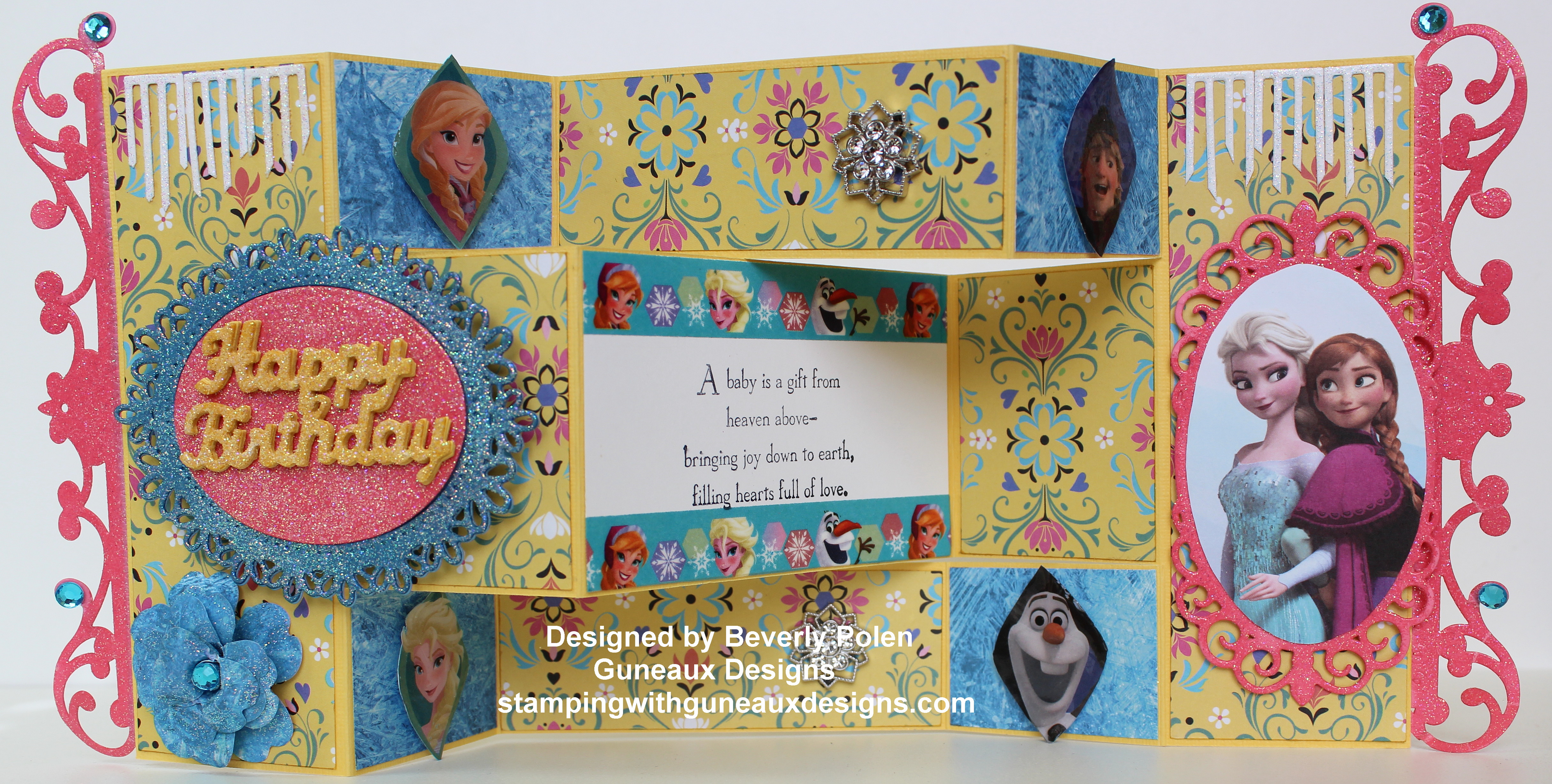
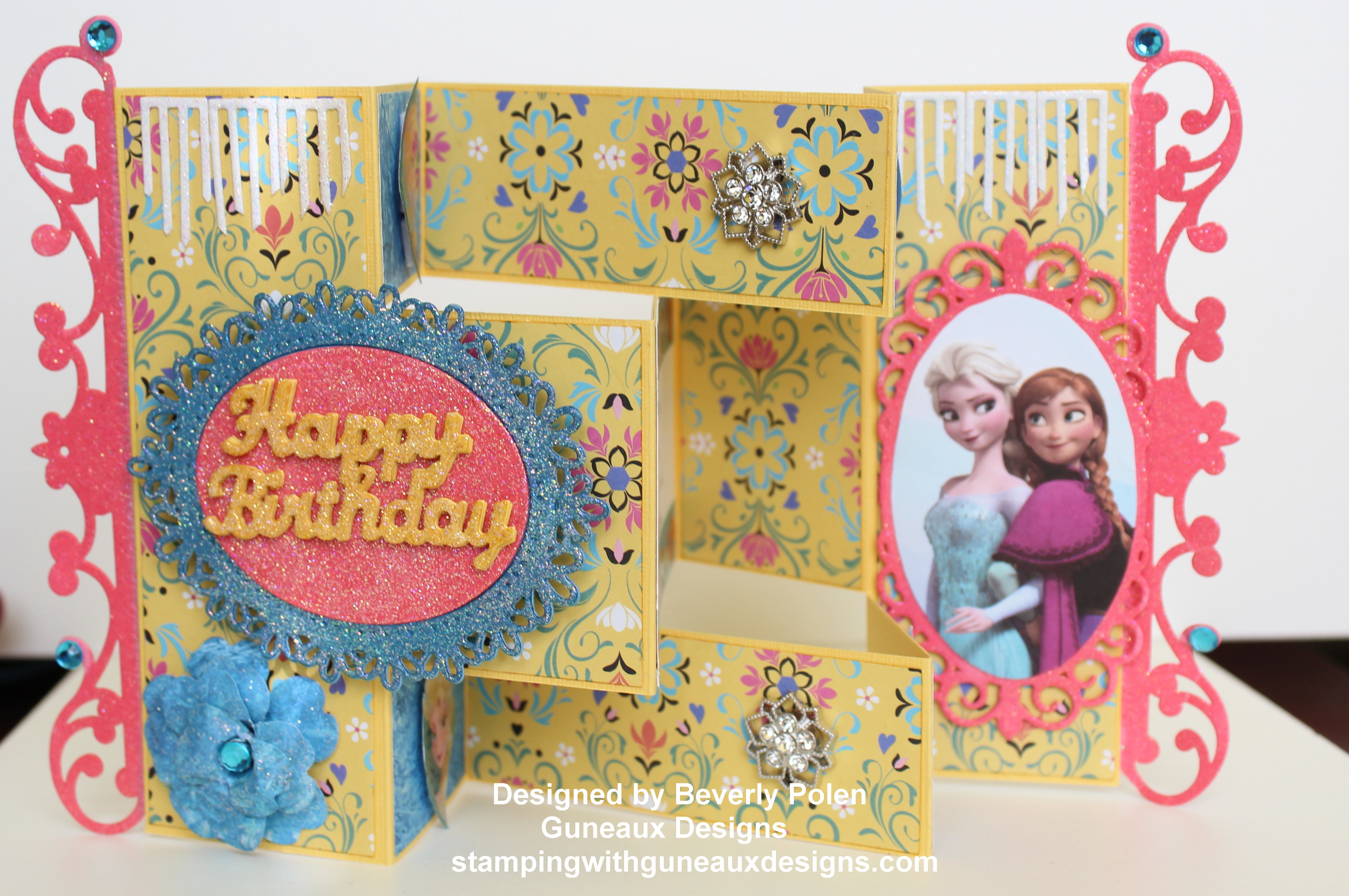
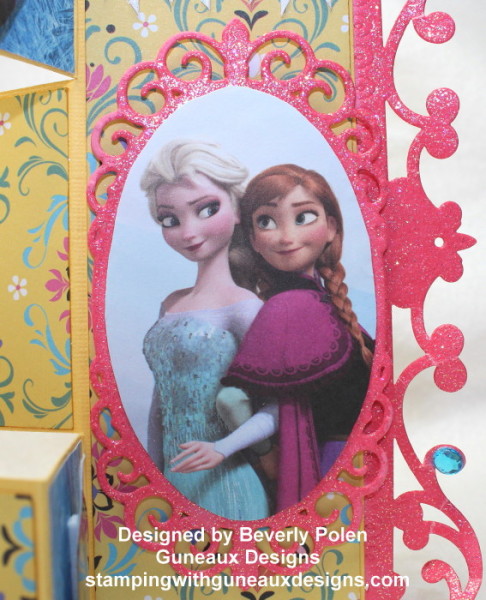
I have had three birthdays to celebrate in the last several days, one of which was for my one-year old granddaughter.  She LOVES the Disney movie, Frozen; therefore, I made her card around the Frozen theme and call it “Happy Birthday Frozen Style“.  As you can see, the card is a Tri-Shutter card.


UPDATE:  This card was chosen for one of the Splitcoaststampers FAVORITES for the week ending December 20, 2015.  Splitcoaststampers’ comment:  

“Congratulations! In the General Stamping forum, you’re in the FAVORITES for the week ending December 20, 2015.”


Happy Birthday Frozen Style


Happy Birthday Frozen Style

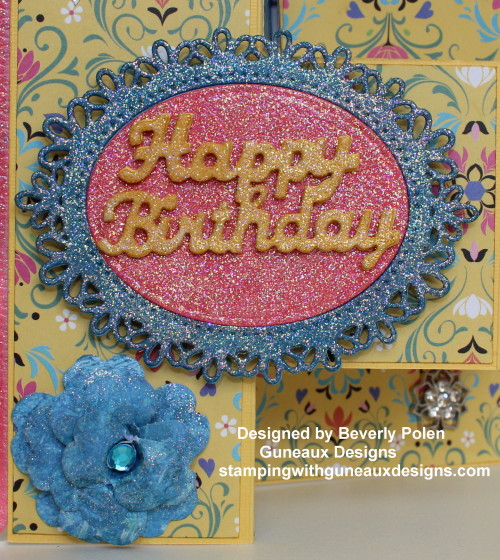
The above photo shows the happy birthday sentiment and “frozen” flower.  You will note the blue stone in the center of the flower as well as on the sides of the card. My granddaughter’s birthstone is Blue Zircon as she was born in December.  I had to include them on the card.  Several elements on the card are embossed with Stampin’ Up!’s Iridescent Ice embossing powder to accentuate the “frozen” theme.

Happy Birthday Frozen Style

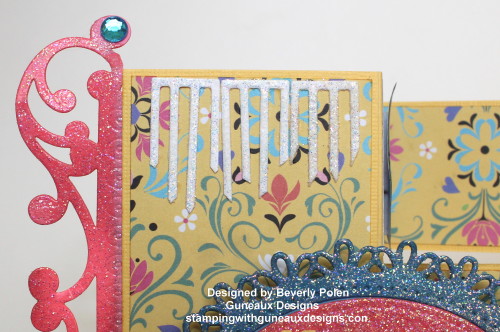
The above photo shows the ice icicles that I included on both sides of the card.  You can also see them in the below photo.

Happy Birthday Frozen Style

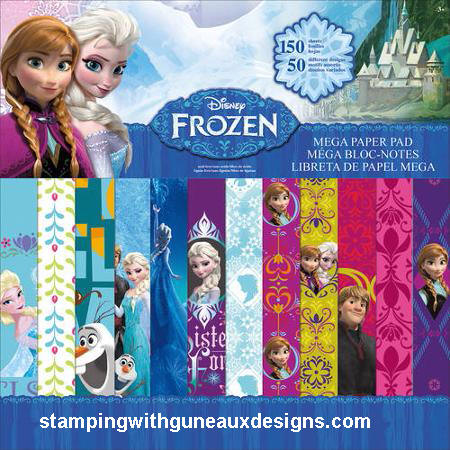
The crafting paper that I used (see below) in making the card is from the Disney Frozen Mega Paper Pad that can be purchased at Walmart as well as other places.  I was surprised to see the color yellow in the paper pad, but it was perfect as my granddaughter loves the color yellow.

(FOLLOW ME ON TWITTER! I share things there that you won’t find here.)

This is a photo of the Disney Frozen Mega Paper Pad:


Happy Birthday Frozen Style

SUPPLIES USED:

Stampin’ Up! Daffodil Delight and Rose Red Card Stock
Disney Frozen Mega Paper Pad
Spellbinders 5×7 Reflective Moment Die (S6-011)
Spellbinders 5×7 Mystical Embrace Die (S6-012)
Spellbinders Oval Floral Die (S6-028)
Disney Frozen Washi Tape
Stampin’ Up! Frosted Finishes Embellishment (unavailable)
Stampin’ Up! Pansy Punch
Stampin’ Up! Iridescent Ice Embossing Powder


Swallowtail Butterfly

God’s Blessings!

Stamping With Guneaux Designs
By
Beverly Polen

Happy Birthday Frozen Style

HAPPY BIRTHDAY FROZEN STYLE BIRTHDAY CARD

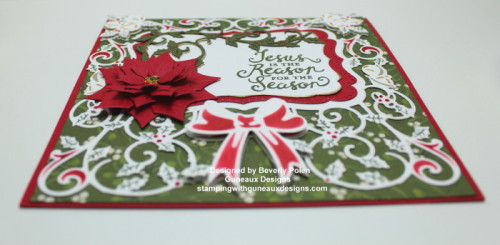
Jesus Is The Reason For The Season

In my mind there is no doubt about it, Jesus is the reason for the season!!

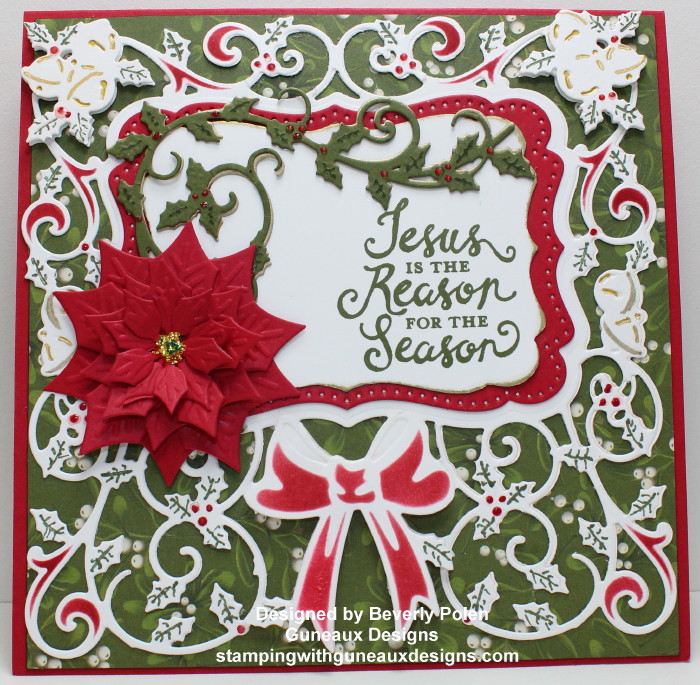
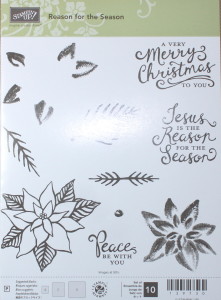
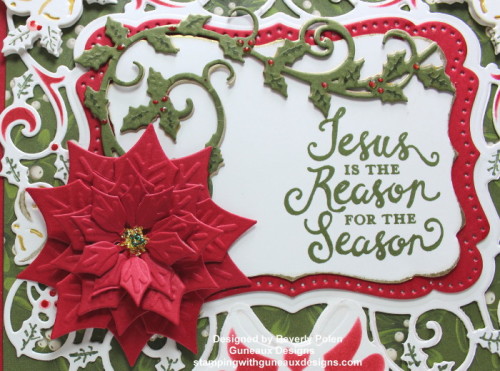
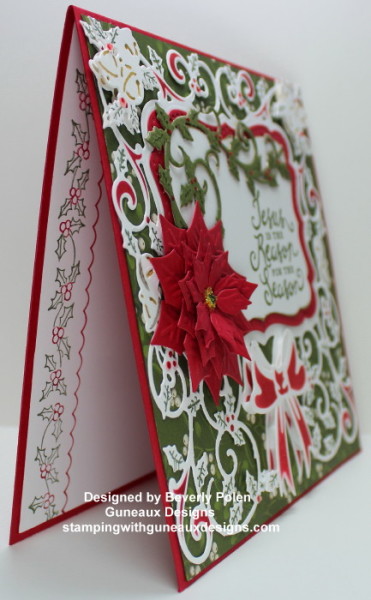
I was delighted when Stampin’ Up! issued a new stamp set with a “Jesus is the Reason for the Season” sentiment.  I love the Reason for the Season Stamp Set, especially the three sentiments in the set, and “Jesus is the Reason for the Season” is my favorite. The font of the sentiments is gorgeous.  I used the Stampin’ Up! Reason for the Season Stamp Set and other products (see below) to create this card.  To accommodate the size of the largest die that I used, I had to make the card a 6″ x 6″ card.


UPDATE:  This card was selected for one of the FAVORITES of the week ending December 20, 2015 on Splitcoaststampers.com.


FOLLOW ME ON TWITTER!

Jesus is the Reason for the Season

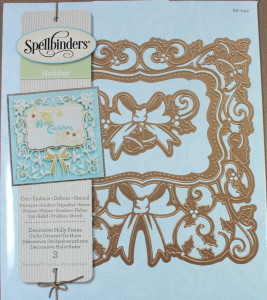
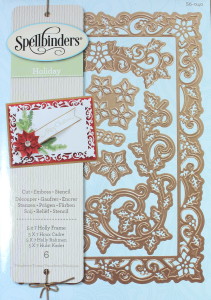
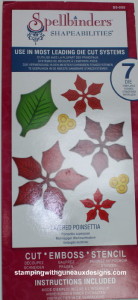
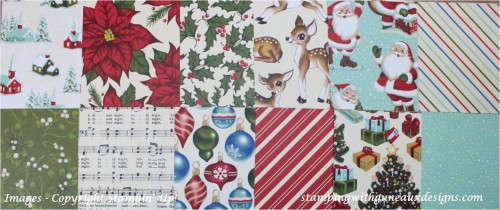
The Spellbinders Holiday Decorative Holly Frame Dies (S6-042), Spellbinders Holiday 5×7 Holly Frame, and Spellbinders Layered Poinsettia Dies (S5-055) are the primary features on the card.  Also featured on the card is the Stampin’ Up! Home for Christmas Designer Series Paper.

Reason for the Season Stamp SetSpellbinders Decorative Holly FrameSpellbinders 5x7 Holly FrameJesus is the Reason for the Season

Jesus is the Reason for the Season

ADDITIONAL PHOTOS OF THE JESUS IS THE REASON FOR THE SEASON CARD

Jesus is the Reason for the Season

Jesus is the Reason for the Season


Thanks for stopping by!  Have a wonderful day, and leave a comment or question in the comment section.

Jesus is the Reason for the Season

God’s Blessings!

Stamping with Guneaux Designs

Jesus is the Reason for the Season

JESUS IS THE REASON FOR THE SEASON

Sunset Scene with Happy Scenes Stamp Set

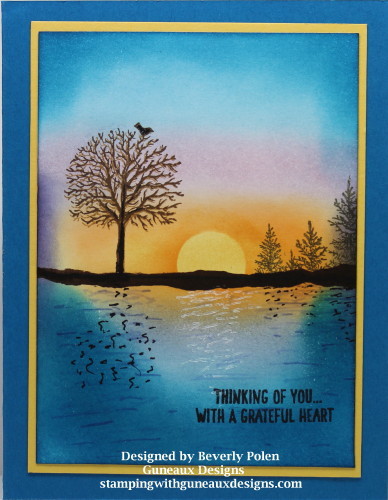
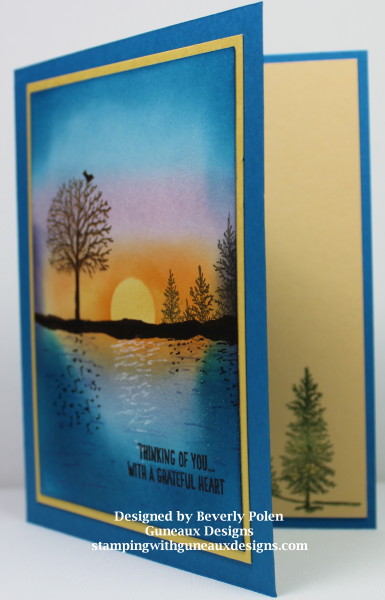
I have for you today a Sunset Scene featuring the Stampin’ Up! Happy Scenes Stamp Set.  I used the sponging technique to create my “Happy Scene”.

Happy Scenes Stampin Up


UPDATE:  This card was chosen as one of Splitcoaststampers’ FAVORITES for the week ending on November 8, 2015!  Splitcoaststamper’s comment:   

“Congratulations! In the General Stamping forum, you’re in the FAVORITES for the week ending November 8, 2015.”


Using the sponging technique, I created the sunset scene first before using the two stamps from the Stampin’ Up! Happy Scenes Stamp Set to complete the scene.  I love using the Stampin’ Up! Sponges for “sponging”.  I have tried other brands of sponges and I do not get the same result.

What is the sponging technique, you ask?  For the purpose of a greeting card, it is the art Sof using a small portion of a sponge to apply ink in a circular motion onto a piece of card stock.  Sponging is used to achieve a scene, background, or other art form.  When applying the sponging technique for my card, I used several Stampin’ Up! Classic Ink Pads.  The inks I used are: So Saffron, Pumpkin Pie, Wisteria Wonder, Pink Pirouette, Concord Crush (old ink pad), Marina Mist, Pacific Point, and Early Espresso (used in this order – hope you can read the light text :-)).

After achieving my scene, I applied ink to two of the stamps from the Stampin’ Up! Happy Scenes Stamp Set and strategically stamped them onto the scene.  The two stamps are of trees.

Stampin' Up! Happy Scenes Stamp Set

If you have used the Stampin’ Up! Happy Scenes Stamp Set, what do you think about the birds on the tree stamp that is shown on the left of my card?  Personally, I think whoever designed the stamp did not have a good sense of proportions.  When I stamped the image onto the card, I covered my stamp to prevent the two birds at the bottom from showing.  Just my spin on the stamp!!!

Stampin Up Happy Scenes Stamp Set

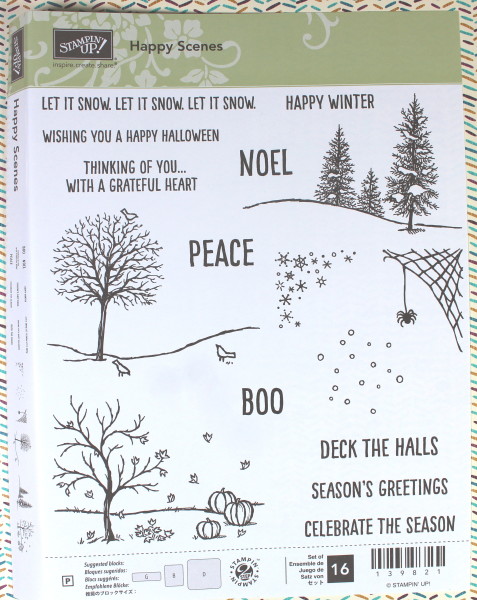
Stampin’ Up! Happy Scenes Stamp Set Item #139821

I hope you enjoy my card!  Make my day and give me feedback or ask questions on this card or other Guneaux Designs artwork!

ButterflyGod’s Blessings!

Stamping With Guneaux Designs

By

Beverly Polen
Stampin’ Up! Happy Scenes Stamp Set